
In homes, offices, and classrooms, temperature control is usually done manually. This often leads to energy wastage and inconvenience. An automated temperature-based switching system can intelligently decide whether a fan or an air conditioner should operate.
This project uses :
- Temperature Sensor to measure ambient temperature
- Microcontroller to process temperature values
- Relay Module to switch the fan or AC automatically
Key Features :
- Automatically turns ON fan at a moderate temperature
- Automatically switches to AC at higher temperatures
- Prevents both the fan andthe AC from running simultaneously
- Reduces power consumption and improves comfort
( This system demonstrates the application of embedded systems in smart home automation. )
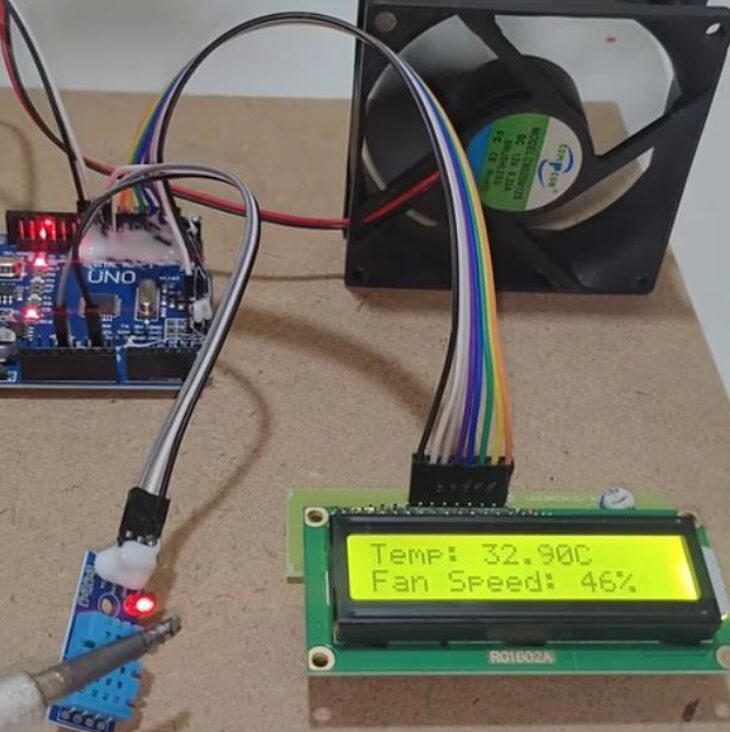
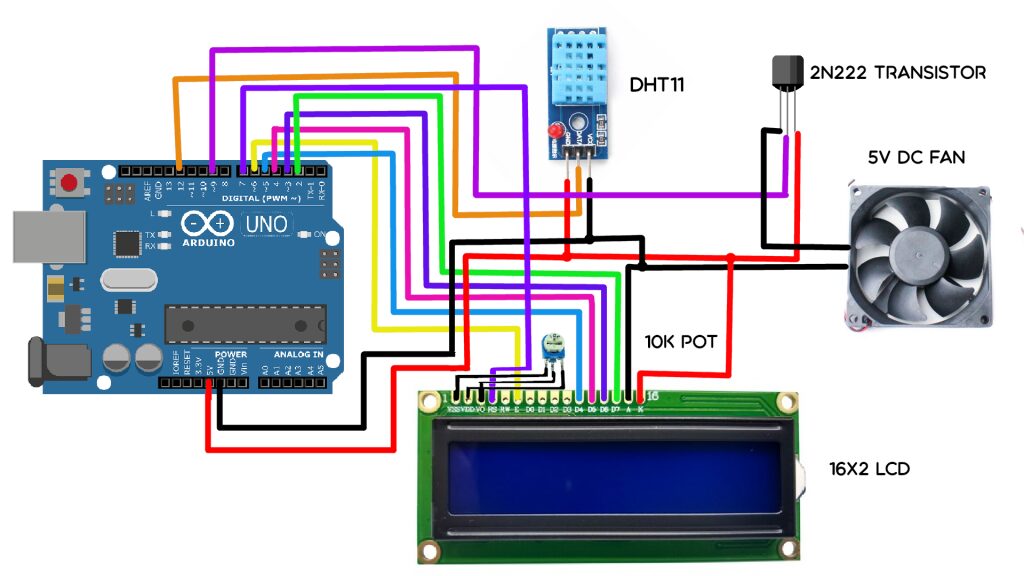
CIRCUIT DIAGRAM
Connection Description (Wiring Map)
Main Components
- Microcontroller: Arduino Uno / ESP32
- Temperature Sensor: LM35 / DHT11 / DHT22
- Relay Module (2-Channel): Controls Fan and AC
- Fan & AC Load: Connected through relays
- Power Supply: 5V regulated supply
6. LCD DISPLAY
Wiring Summary
Component | Arduino Pin | Description |
Temperature Sensor (LM35) | A0 | Analog temperature input |
Relay 1 (Fan) | D8 | Turns the fan ON/OFF |
Relay 2 (AC) | D9 | Turns AC ON/OFF |
Relay VCC | 5V | Relay power supply |
Relay GND | GND | Common ground |
Load Connection:
- Fan connected to Relay-1 COM & NO
- AC connected to Relay-2 COM & NO
Working Principle
- The temperature sensor continuously measures room temperature.
- Arduino reads the temperature value and compares it with predefined limits.
- Based on temperature:
- Below 28°C: All devices OFF
- 28°C – 34°C: Fan ON, AC OFF
- Above 34°C: AC ON, Fan OFF
( Relays isolate high-voltage appliances from low-voltage electronics. )
Applications
- Smart homes
- Offices and classrooms
- Server rooms
- Energy-saving automation systems
Testing the Hardware
- Temperature Sensor Test
- Display temperature values in Serial Monitor
- Verify accuracy using a thermometer
- Display temperature values in Serial Monitor
- Relay Test
- Manually trigger relays using Arduino code
- Check if the fan and AC switch correctly
- Manually trigger relays using Arduino code
- Load Test
- Connect the fan and the AC to the relays
- Observe correct switching at set temperature limits
- Connect the fan and the AC to the relays
- Full System Test
- Heat the sensor slightly
- Verify automatic switching between the fan and the AC
- Heat the sensor slightly
Troubleshooting
Issue | Possible Cause | Solution |
Fan or AC not switching | Wrong relay wiring | Check COM & NO connections |
Incorrect temperature reading | Sensor calibration issue | Recalibrate or replace the sensor |
Relay clicking but load OFF | Loose AC connection | Tighten wiring securely |
Arduino resets | Relay power issue | Use a separate relay power |
Both Fan & AC ON | Code logic error | Add a mutual exclusion condition |
( The Air Conditioner or Fan Switcher with Temperature Detection is an automatic control system that switches between a fan and an air conditioner based on the surrounding temperature. Using a temperature sensor and a microcontroller, the system continuously monitors room temperature and activates the appropriate appliance. This project helps maintain comfort, saves energy, and reduces manual intervention. )